Imagine you just logged into your Google Business Profile dashboard and saw that dreaded “Suspended” notification. Your first instinct is probably to panic. You might feel like your business just vanished from the map, because in many ways, it has. Phone calls stop, lead flow dries up, and your hard-earned rankings disappear overnight.
While it feels like a crisis, suspensions happen to legitimate, rule-following businesses every single day. Sometimes, even the best profiles get caught in the crossfire.
The road to recovery is manageable, but it requires a calm head and a very specific process. One wrong move right now (like rushing to create a new profile) could turn a temporary setback into a permanent ban. The good news is that reinstatement is entirely possible, and we’re here to show you exactly how to do it properly.
The Two Faces of Suspension: Soft vs. Hard
Suspensions can range from minor issues, like incorrect information, to more serious problems, like duplicate profiles or suspicious activity. Google doesn’t always disclose exactly why a profile is suspended, which can leave business owners uncertain about what went wrong.
Before you start the recovery process, you must identify which version you are dealing with:
- Soft Suspension: Your listing still appears publicly on Google Maps and search, but you have lost management access. You cannot respond to reviews or update your hours, and the listing may appear “unverified” to the public.
- Hard Suspension: This is a critical situation where your profile is completely removed from Google Search and Maps. Customers cannot find you even when searching by your exact business name. This type of suspension is often tied to policy violations.
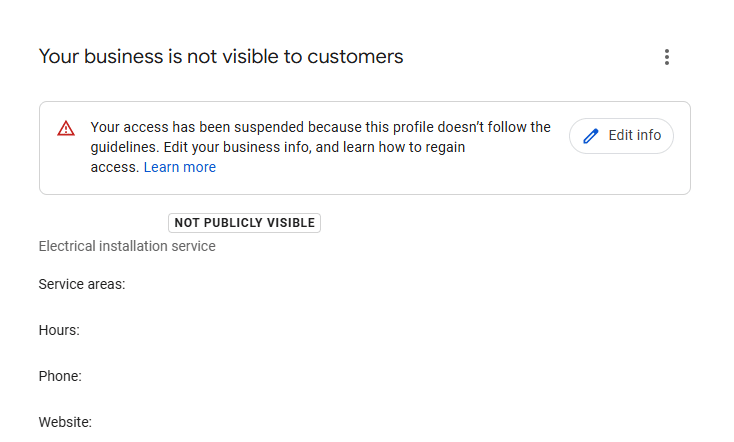
First Things to Do After Your Profile Is Suspended
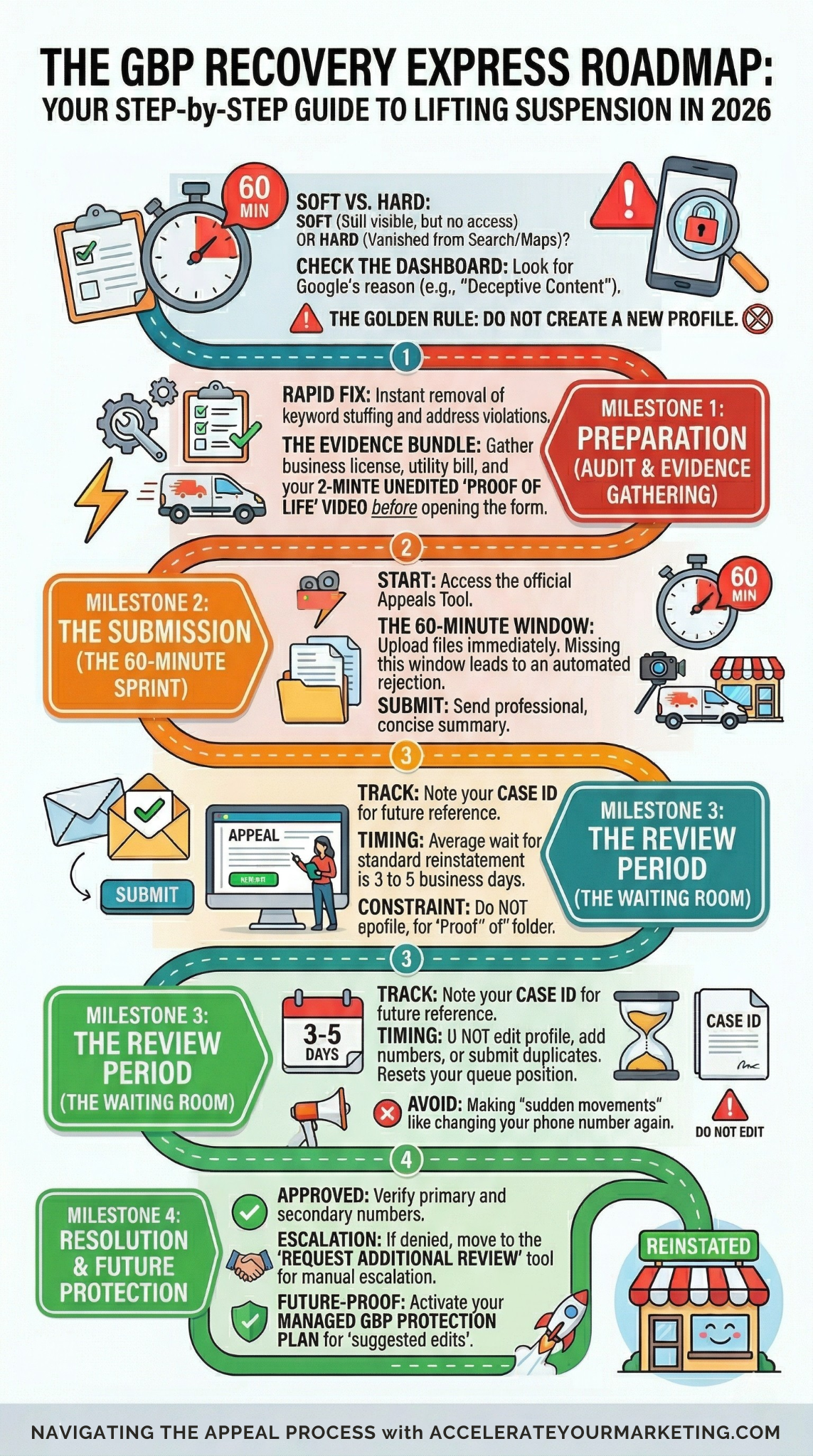
Rushing to edit your profile before you understand the problem can actually delay your reinstatement. Instead, follow these steps:
1. Check Your Notifications: Go through your email and the Google Business Profile dashboard. Google usually provides a general reason for the suspension (like “Deceptive Content” or “Suspicious Activity“). This gives you a starting point for your audit.
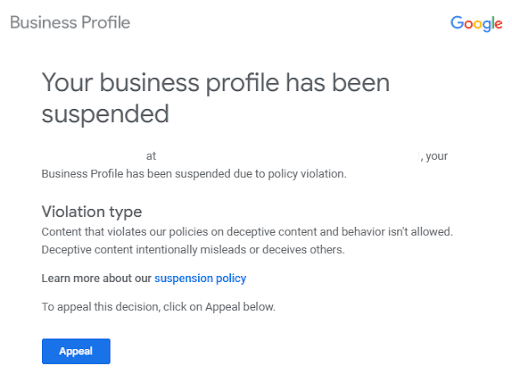
2. Verify Your Business Information: Audit your Name, Address, and Phone number (NAP) across all platforms. Google’s algorithm flags even tiny inconsistencies between your website, social media, and your profile.
3. Gather Your Supporting Evidence: DO NOT start any appeal until your business documents are at arm’s reach. In 2026, the second you open the evidence form, Google starts a 60-minute countdown to upload everything. If you don’t have your business license, tax registration, and utility bills ready to go before you click that link, you will likely trigger an automated rejection that is incredibly hard to undo. Prepare first, click second.
How to Properly Request Reinstatement: Three Steps
It is important to highlight that the reinstatement process is no longer a casual email conversation; it is a highly structured, evidence-based submission through the official Appeals Tool. Following these steps in order is the best way to ensure your case is handled correctly by a human reviewer.
1. Perform a Compliance Audit
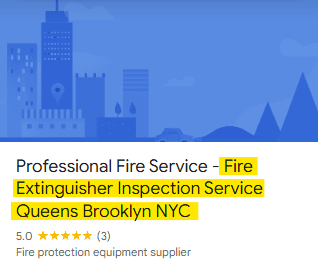
Google will not reinstate a profile that still contains violations. Before appealing, fix any obvious issues like keyword stuffing in your name or an address that leads to a PO Box or virtual office. Here is an example of how keyword stuffing can look in GBP:
- Pro Tip: If you find a violation, fix it first. Taking a screenshot of the corrected information can be a powerful piece of evidence later.
2. Record a “Proof of Existence” Video
One of the most effective pieces of evidence in 2026 is an unedited video. Start outside to show your street sign and building, then walk inside to show your branded signage and business equipment. This proves to Google that you are a real, operational local business.
- Pro Tip: Keep the video under two minutes and ensure it is one continuous shot. Google’s human reviewers value the transparency of an unedited walk-through.
3. Submit the Official Appeal
Access the Google Business Profile Appeals Tool. You will select your suspended profile, attach your gathered documents, and write a concise, professional summary explaining that you have verified your compliance with Google’s guidelines.
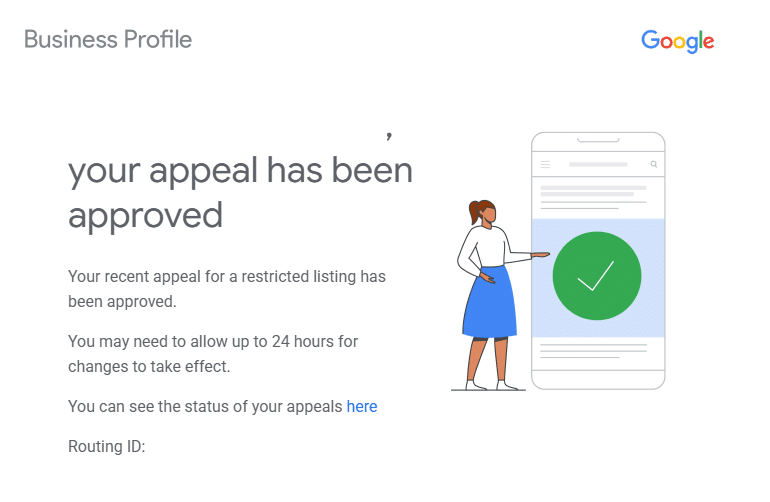
A rejection, which can look like this:
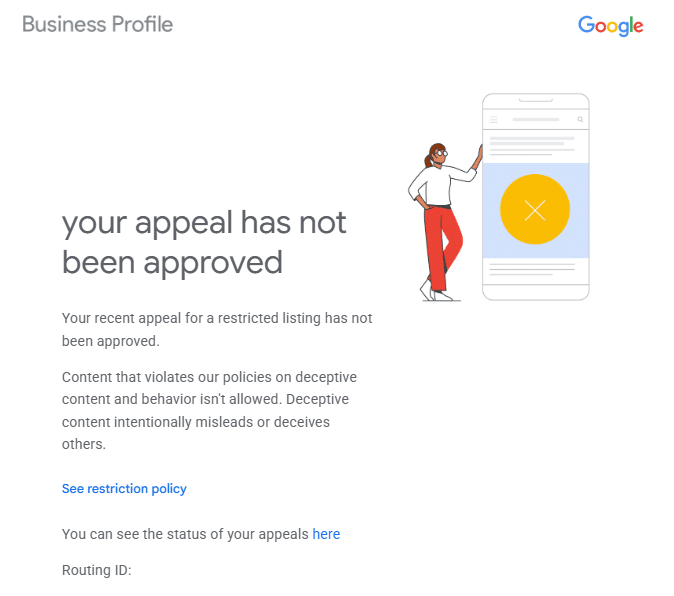
or a request for more info. If your initial appeal is denied, you can request an additional review, but you will need even stronger documentation:
- Official Business Registration: A scan of your state or city business registration or tax certificate.
- Recent Utility Bills: Electricity, water, or internet bills that clearly show your business name and physical address.
- Business Bank Statements: A recent statement that matches your registered address can act as a high-authority “proof of life.” Pro Tip; Google only needs to see your business name, address, and the statement date. Feel free to redact (black out) sensitive data like your account balance, specific transactions, or full account numbers before uploading.
- Property Documents: A lease agreement or property tax receipt for your physical location.
Common Reasons Google Suspends Business Profiles
Google rarely tells you exactly which rule you broke. However, most suspensions in 2026 fall into one of these categories:
- Inaccurate Business Information: Your Name, Address, and Phone number (NAP) are inconsistent across the web. If your website says “Suite 200” but your Google profile says “Unit B,” the algorithm may flag you.
- Address Red Flags: Using a PO Box, a UPS Store address, or a virtual co-working space. Google requires a physical location where you meet customers or a verified home address for service-area businesses.
- Duplicate Listings: Multiple listings for the same business location.
- Improper Categories: Selecting categories that don’t accurately represent your business.
- Violation of Google’s Guidelines: Such as using prohibited content in your business description or business name.
- Suspicious Activity: Making too many big changes at once, such as changing your address and phone number in the same ten-minute window.
Suspensions are often automated, meaning even compliant businesses can get flagged.
What to Avoid While Waiting for Reinstatement
While you are waiting for your appeal to be processed, your profile is in a sensitive state. Any sudden movements during this time can be seen as “suspicious” and may lead to a permanent rejection. Here is what to avoid:
❌ Do not create a new profile: This is the most common mistake. If Google detects a duplicate listing while an appeal is active, it is often viewed as an attempt to bypass its security measures. This can result in a permanent ban that is nearly impossible to reverse.
❌ Do not make additional changes to your business info: Constant edits to your business name, address, or phone number can confuse the algorithm and reset the review clock. Unless you are fixing the specific error that caused the suspension, leave the profile exactly as it is.
❌ Do not submit multiple appeals without new evidence: Flooding Google’s system with the same request will not speed up the process. In fact, submitting duplicate appeals without adding fresh documentation can lead to your case being dismissed as spam.
How to Prevent Future Google Business Profile Suspensions
Once your profile is reinstated, you should treat it as a high-value asset that needs protection. In 2026, Google’s automated filters are more active than ever, so long-term compliance is the only way to stay on the map.
✅ Maintain Total Consistency (The NAP Rule): Ensure your business name, address, and phone number (NAP) are identical across all online listings. This includes your website, social media, and local directories. Any mismatch can trigger a fresh investigation.
✅ Use Call Tracking Wisely: Many owners accidentally trigger suspensions by manually swapping their profile’s primary number for a tracking line. To get the data you need without the risk, use smart call tracking on your website. This technology automatically shows a tracking number to visitors while keeping your “primary” number visible to Google’s crawlers, preserving your consistency and your rankings.
✅ Follow Google’s Naming Conventions Strictly: It is tempting to add keywords like “Best” or “Cheap” to your business name for a ranking boost, but this is a frequent cause of repeat suspensions. Use only your real-world, legal business name on your profile and focus on creating valuable content that answers users’ questions and includes keywords meaningfully.
✅ Monitor Your Profile Regularly: Log in at least once a week to check for “suggested edits” from users. Sometimes, well-meaning customers or even competitors can suggest changes that might lead to a flag if they aren’t addressed quickly.
Real-World Case Study: The 2.5-Month Recovery
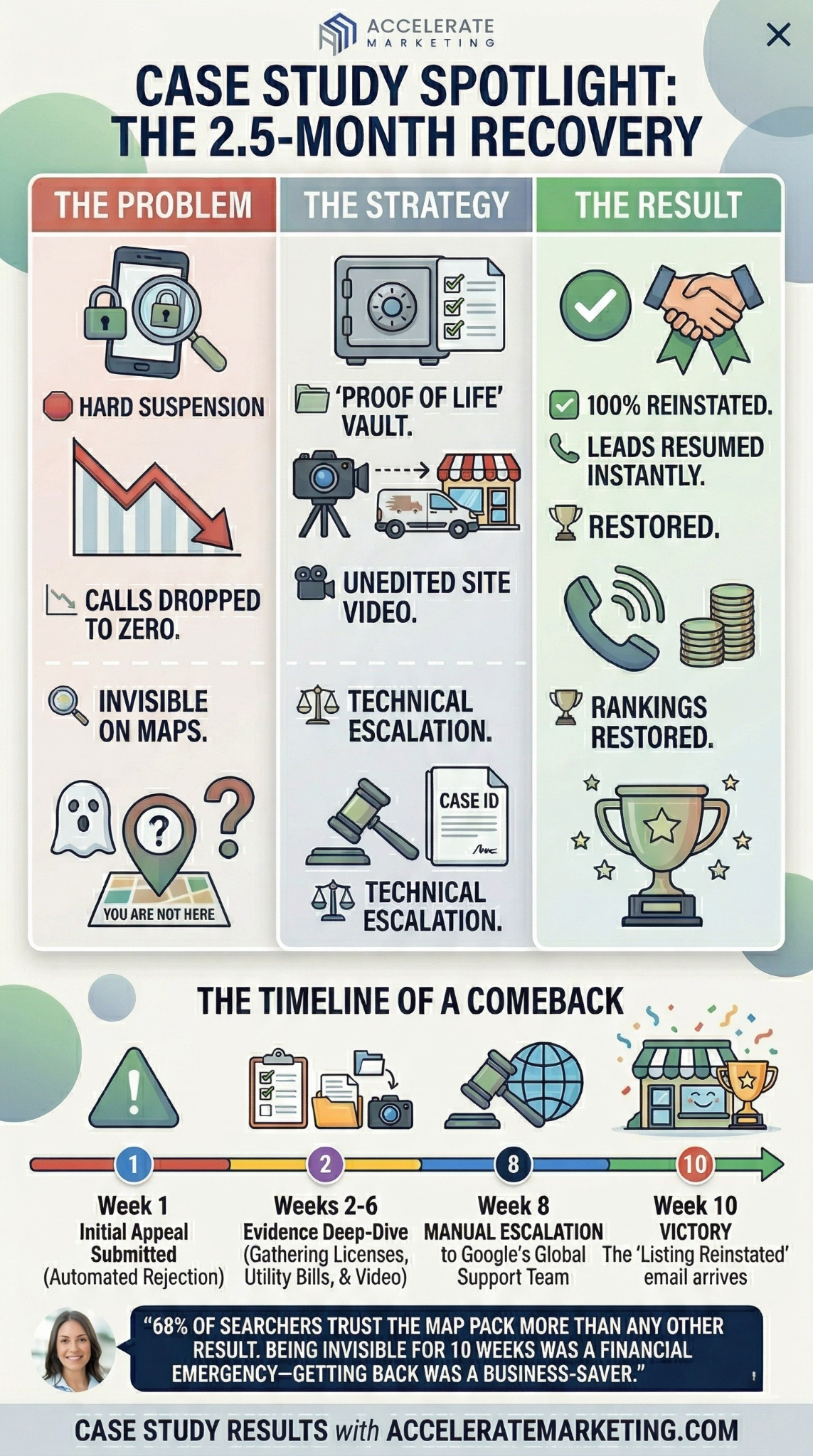
Want to learn how a local service business survived a Hard Suspension? Take a look at how our SEO experts handled it:
The Challenge
A garage door company in a highly competitive market faced a “Hard Suspension,” completely vanishing from Google Maps. In an industry where 90% of weekday calls are driven directly by a Google Business Profile, this was a financial emergency that made the business invisible to new customers overnight.
The Strategy
The Accelerate SEO team navigated a multi-stage escalation process to regain the client’s visibility:
- Strategic Preparation: We built an undeniable “Proof of Life” file including unedited site videos, official state licenses, and utility bills to ensure the strongest possible first impression.
- Proactive Monitoring: We utilized the Appeals tool to track the case daily, ensuring we were ready to escalate the moment a standard bot review failed.
- Technical Escalation: When the initial appeal was rejected without cause, we moved to the “Request Additional Review” tool, the final and most formal escalation path for denied cases.
The Result
After two and a half months of persistent advocacy and documentation, the listing was fully reinstated. Because 68% of searchers trust the Map Pack more than any other result, getting back on the map was vital for the brand’s online survival.
Once the listing was live again, the business was able to resume normal operations and begin recapturing the local leads that had completely dried up during the suspension.
Final Takeaway
T
he successful recovery of this garage door business proves that while Google’s automated filters are aggressive, they aren’t final. By providing meticulous documentation, you can reclaim your place in the local market and restore your digital lifeline.
Instead of guessing your way through the appeals process, you can safeguard your brand with a professional Google Business Profile management plan. From organizing your evidence folder to implementing long-term safety protocols, our goal is to handle the technical advocacy so you can focus on running your business.
FAQs
Will a suspension permanently destroy my local SEO rankings?
Not permanently, but the impact is immediate. A suspension can cause an overnight loss of your local search traffic. While most rankings typically return shortly after reinstatement, the longer you are dark, the more traction you lose to competitors who are actively collecting new reviews and engagement during your absence. Working with an experienced GBP management agency is the most effective way to ensure your local SEO rankings bounce back after a suspension.
Can I still get new reviews while my profile is suspended?
Only in a soft suspension, as the profile remains live. In a hard suspension, the profile is hidden and cannot receive reviews.
To keep your 2026 update fresh, here are brand-new FAQs that address the most recent changes to Google’s enforcement patterns and the high-tech verification methods now in place.
What should I do if I’m asked for “Video Verification” during a suspension?
Video verification is becoming the standard for high-risk categories like law and home services. If prompted, you must provide a 30–90 second unedited video. To pass, you must show:
- Your Surroundings: Street signs or nearby businesses to confirm your location.
- Proof of Management: Unlocking the business door with your key or logging into your POS system.
- Business Evidence: Your branded vehicles, tools of the trade, or professional signage.
Will creating a new profile fix the issue?
No, creating a new profile can lead to further complications, including permanent suspension. It’s best to follow the appeal process and work through reinstating your current profile. Google typically detects duplicate listings, and creating a new one could result in even more penalties.
Can suspensions happen more than once?
Yes, suspensions can happen again if the underlying issues that caused the first suspension are not addressed properly. To prevent future suspensions, it’s essential to follow Google’s guidelines, maintain consistent business information, and regularly monitor your profile for updates.
Conclusion: Recovering Your Digital Storefront
A Google Business Profile suspension is a major stressor, but it is not the end of the road. By staying calm, fixing your technical errors, and providing clear, unedited evidence, you can restore your visibility and get your leads flowing again.
If you’ve reviewed the guidelines and still feel unsure about your next move, let’s build your GBP recovery strategy together.
Whether you need a second pair of eyes on your documentation or a complete recovery plan, get in touch with us to help you get back on the map.