If your phone is ringing but you can’t tell which ad, which map pin, or which search term actually triggered the call, you’re basically flying blind.
For most local businesses, every call is a high-stakes opportunity, yet many owners have no idea which marketing efforts are actually making the phone ring.
Call tracking fixes that. It’s the simple intelligence layer that turns an anonymous phone call into a clear, actionable insight.
Instead of guessing what’s working, you get a direct line of sight into exactly which campaigns are generating revenue and which ones aren’t worth the investment. This guide breaks down the mechanics of how it works, why it’s a strategic necessity for SEO, and how to set it up for your business today.
Understanding How Call Tracking Works
Call tracking operates by assigning unique, trackable phone numbers to specific marketing channels. Instead of one “catch-all” number, you use dedicated lines for your Google Business Profile, Local Services Ads, paid social campaigns, and organic website listings.
When a customer calls one of these numbers, the call is forwarded to your business’s actual phone line, but the call tracking software records data about the call’s origin, duration, and outcome.
To use these effectively, you have to choose the right delivery method based on where the customer is looking:
The Intelligence: What You’re Actually Tracking
Once your system is active, you move from “guessing” to “knowing” with four critical data points:
- Call Source (Precise Attribution): Identify exactly which campaign (Google Maps, a specific Facebook ad, or an organic landing page) triggered the call. This allows you to scale the winners and make the necessary adjustments.
- Call Duration (Lead Quality and Intent): Not all calls are created equal. By tracking call duration, you can instantly filter the noise. A 3-minute conversation usually indicates a high-intent prospect ready to book, while a 10-second call is often a solicitor or a wrong number. High call volume is a vanity metric; high talk time is a growth metric. Use this to audit lead quality instantly.
- Call Outcome (Operational Accountability): This is the ultimate “leak” detector for your front desk. If your data shows a missed call rate over 10%, the issue isn’t the marketing; it’s the operations. Tracking when calls are missed (lunch hours, after-hours, or peak times) allows you to fix the holes in your bucket before spending another dime on ads.
- Conversion Data (True ROI): Move beyond “cost-per-click” and look at your actual cost-per-acquisition. By linking specific calls to booked appointments or closed contracts in your CRM, you can see exactly how much revenue a $500 ad spend actually generated. This is the difference between “hoping” your marketing works and proving it does.
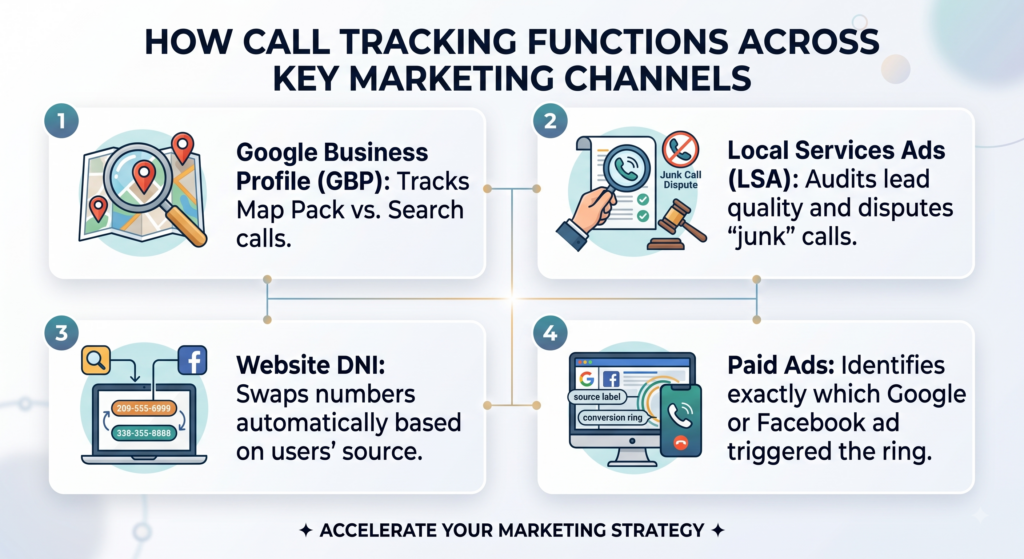
How Call Tracking Functions Across Key Marketing Channels
Call tracking can be integrated with various marketing channels to provide a comprehensive view of lead generation:
- Google Business Profile (GBP): Tracks Map Pack vs. Search clicks.
- Local Services Ads (LSA): Audits lead quality and disputes “junk” calls.
- Website DNI: Swaps numbers automatically based on users’ source.
- Paid Ads: Identifies exactly which Google or Facebook ad triggered the ring.
How Call Tracking Powers Local SEO and Marketing Campaigns
Call tracking doesn’t just track calls; it powers your local SEO and marketing campaigns in key ways:
Here is how it changes things for your business:
Better Understanding of Customer Behavior
Call tracking allows businesses to gain valuable insights into customer behavior. You can track where customers are finding your business (e.g., Google search, social media, ads), helping you understand which marketing channels are most effective. These insights enable businesses to refine their marketing strategies to target the most profitable sources.
Better ROI Measurement and Improved Lead Qualification
This tactic allows businesses to measure ROI directly by linking calls to specific campaigns. This allows businesses to see which ads or channels are generating high-value leads. By analyzing call data, businesses can also qualify leads more accurately, improving their ability to follow up and convert calls into sales.
Data-Driven SEO Adjustments
By integrating call monitoring with Google Business Profile or Local Service Ads, businesses can gather data on which calls are coming from local search results. This data helps businesses refine their local SEO strategy by adjusting website content, GBP listings, and optimizing for the right keywords.
For example, if certain keywords or services are driving more calls, businesses can use this information to focus on those areas to improve local rankings.
Setting Up Call Tracking for Local Businesses
Setting up call tracking is straightforward, but it requires attention to detail. Here’s how you can get started:
1. Choosing a Call Tracking Provider
Select a call tracking provider that fits your business needs. Popular platforms include CallRail, CallTrackingMetrics, and others. Look for a service that offers:
✅ Dynamic number insertion for different marketing channels.
✅ Call analytics to track performance and measure ROI.
✅ Integration with your CRM to track calls alongside other customer data.
2. Creating Tracking Numbers
Using CallRail as the provider, here is the quick-start process to get your first tracking number live:
1. Create Number: Click the “+” icon in your CallRail dashboard.
2. Select the Source: Choose “Offline” for Google Business Profile/Signs or “Online” for your website (DNI).
3. Pick a Local Number: Select a number with your local area code. Local customers trust local numbers; avoid 800 numbers for local service.
4. Set the Destination: Enter your actual office phone number where the calls will be forwarded.
5. Activate: Hit “Create Number.” CallRail will now instantly route every call from that tracking number to your main business line.
Pro Tip: Always place a quick test call from your cell phone once the number is active to ensure the forwarding is seamless.
3. Integrating Call Tracking with GBP
To track calls from Google Maps and Local Search without hurting your SEO, follow this specific CallRail-to-Google workflow:
1. Authorize the Integration: In your CallRail dashboard, go to Settings → Integrations → Google Business Profile. Log in with your Google account and select the correct business location.
2. Assign the Number: Select the unique tracking number you created specifically for your “Google Maps” source and click “Activate.”
3. The “NAP” Safeguard: CallRail will automatically suggest this, but you must verify it manually in your Google Business Profile:
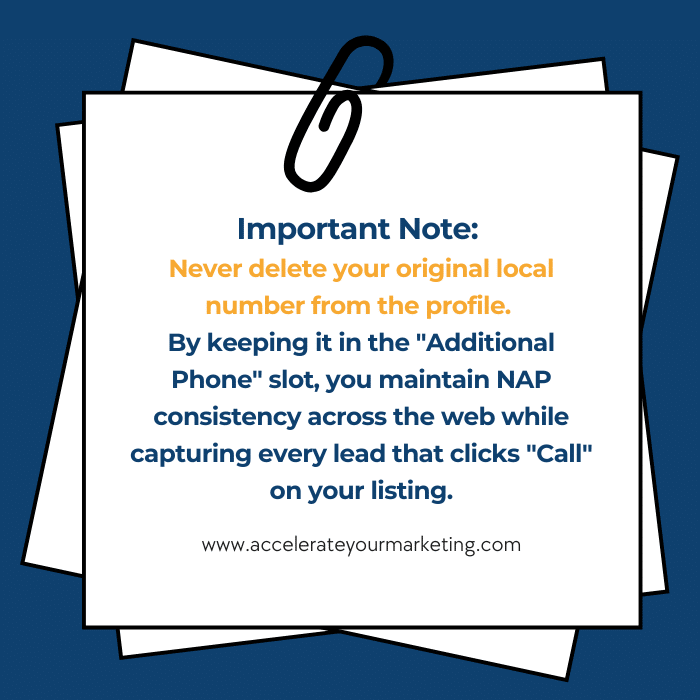
✅ Primary Phone: This is now your Tracking Number.
✅ Secondary Phone: This must be your Real, Local Landline.
4. Verification: This setup allows Google to keep “seeing” your original local number for verification while giving you 100% accurate data on every call triggered by your Map listing.
4. Linking Call Tracking to LSA
Local Services Ads use their own Google-generated tracking numbers. To get your CallRail data to sync with LSA, follow this process:
- The “Request Link” Method: Unlike the GBP integration, you don’t manually swap the number in the LSA dashboard. Instead, you send a request through your Google Marketing Partner or via the CallRail Integrations tab.
- Number Synchronization: Google will “bridge” its LSA number with your tracking number. This allows you to see LSA leads inside your call dashboard alongside your other marketing data.
- Lead Auditing: This integration is vital for ROI. It allows you to listen to LSA recordings and dispute “junk” calls directly with Google to get your ad credit back.
Common Mistakes That Hurt Your SEO
Even the best call tracking strategy can backfire if you ignore these three “SEO Killers.” To keep your rankings safe, avoid these pitfalls:
- The “NAP” Identity Crisis: Never replace your business number on “Static” directories like Yelp, the Better Business Bureau, or your local Chamber of Commerce. These citations should always feature your “Core” landline to maintain your local authority with Google.
- Using “Burner” or Non-Compliant Numbers: Only use high-quality, local tracking numbers from a reputable provider like CallRail. Using low-quality virtual numbers or “toll-free” 800 numbers for a local service business can trigger a “Suspicious Activity” flag on your Google Profile, leading to instant suspension.
- The “Set It and Forget It” Trap: Tech breaks. Always place a test call from a non-office phone as soon as a new number goes live. If there is a routing delay or a broken link, you aren’t
Frequently Asked Questions
-
Can I track calls from Facebook or Instagram ads?
Yes, you can. By assigning dedicated tracking numbers to your social campaigns, you can stop measuring success by "Likes" and start measuring by inbound calls. This allows you to see exactly which ad and which platform is actually driving revenue vs. just generating social engagement.
-
Do call tracking numbers hurt my local SEO?
No, as long as you follow the "Primary/Secondary" protocol. As long as your original business landline remains in the "Additional Phone" slot on your Google Business Profile, your NAP consistency remains intact. In fact, by proving to Google that your listing generates high-quality, long-duration calls, call tracking can actually signal higher relevance and help boost your local rankings.
-
Does call tracking work for multi-location businesses?
Yes, and it’s a necessity. Call tracking allows you to assign unique numbers to every branch or service area. This gives you a clear "side-by-side" comparison of which locations are performing best, which ones are missing the most calls, and where you need to adjust your regional ad spend to maximize your total ROI.
Conclusion: Stop Guessing and Start Growing
Integrating call tracking with your Local Services Ads and Google Business Profile isn’t just about collecting data; it’s about taking total control of your growth. By moving from “hope-based” marketing to a data-driven strategy, you can finally see exactly which campaigns are generating high-value leads and which ones are simply draining your budget.
When you set up call tracking correctly, you gain more than just insights; you gain the ability to optimize your Local SEO, hold your front desk accountable, and prove your true ROI with 100% accuracy.
Ready to Dominate Your Local Market?
If you’re ready to add call tracking to your marketing strategy accounts but don’t want to risk your SEO rankings, Accelerate Marketing is here to help. We handle the technical heavy lifting so you can focus on answering the phone.
Reach out to us today for a high-level strategy session, and let’s turn your phone into a growth engine.