Capturing local search traffic requires absolute trust from your potential customers. The Google Verified badge gives your Local Services Ads that exact level of instant credibility.
Google’s verification system underwent massive structural changes this past year. In October 2025, the platform retired the separate Google Guaranteed and Google Screened labels, rolling everything into a single unified Google Verified badge.
Then, in June 2026, Google changed the rules of the game again. They introduced a new Accelerated Verification flow that lets eligible businesses bypass traditional background checks and get their ads live instantly.
Here is the exact roadmap to claiming your badge under the new rules, bypassing the old paperwork delays, and keeping your ads running smoothly.
1. The Pre-Verification Profile Setup
A highly optimized Local Service Ads campaign starts with accurate data. Your first step is building out the core profile. To ensure your profile passes the initial scan without delays, complete these essential setup steps first:
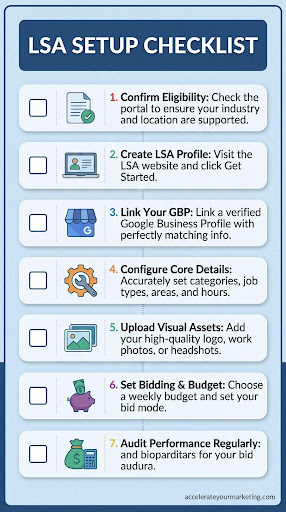
- Confirm Your Eligibility: Head over to the Google Local Services Ads eligibility portal to ensure your specific industry and location are supported.
- Create Your LSA Profile: Visit the main Local Services Ads website and click “Get Started” to initiate the setup.
- Link Your GBP: One core item for LSA is that it must be linked to a verified Google Business Profile whose information (name, address, and phone number) matches across platforms.
- Configure Your Core Details: Select your correct business category and define your specific job types. You also need to set your service areas and business hours accurately.
- Upload Visual Assets: Add a high-quality business logo and clear photos of your work. Lawyers, realtors, and other professional service providers must upload a professional headshot.
- Set Bidding and Budget: Choose your weekly budget. Google still recommends setting your bid mode to “Maximize Leads” for the best performance, but they recently added an option to enable a “target cost per lead” bid for tighter control.
2. The June 2026 Accelerated Verification Flow
Google implemented its new Accelerated Verification process in June 2026. This flow completely replaces the old background check and insurance requirements with two streamlined checks for eligible new accounts.
Remember how we mentioned how your GBP is essential for LSA? Verification requirements will not appear in your dashboard until your GBP is officially linked and affiliated.
Once this is done, eligible businesses enter the accelerated flow verification. This grants you Immediate Launch status, allowing you to start getting leads with the Verified badge right after adding your budget, billing details, and headshots for applicable professional verticals.
Furthermore, background checks and proof of insurance will no longer be required. You then have a strict 14-Day Completion Window to finish the next steps:
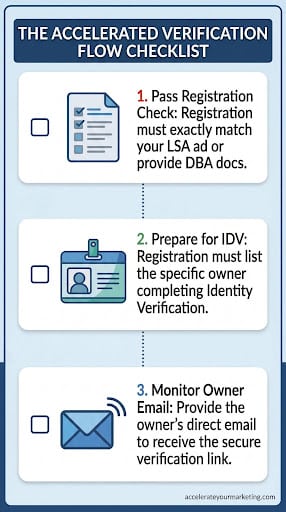
- Pass the Business Registration Check: Your official business registration must match the exact name and address displayed on your live LSA ad. If they differ in any way, you will be forced to provide Doing Business As (DBA) documentation to prove the affiliation.
- Prepare for Identity Verification (IDV): You must confirm that your business registration lists the specific owner or business representative who will be completing the IDV process.
- Monitor the Direct Owner Email: You must supply the business owner’s direct email address. Google uses this to trigger a secure verification link via their partner, Evident, requiring the owner to complete the IDV personally.
3. The Traditional Verification Flow
If your business category or region does not qualify for the accelerated flow, you must still pass the traditional screening process.Keep the checklist below to track your background checks and license uploads:
- Submit Active Insurance Certificates: Upload a valid Certificate of Insurance (COI). The policy must be active, and the coverage amount must meet Google’s minimum threshold for your specific category.
- Upload Valid Trade Licenses: If your state or province requires a license for your trade, you must upload a clear copy of it.
- Pass the Background Checks: Google’s third-party partner runs checks on the business entity, the owner, and any field technicians who perform core services on customer property.
4. The 2026 LSA Billing & Ongoing Maintenance Rules
Securing the badge is only the first step. To protect your ad spend and keep your badge active, you must adapt to the new billing and profile maintenance rules:
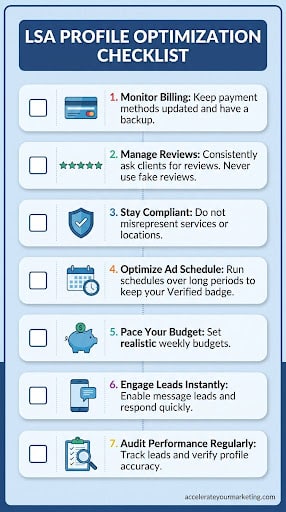
- Monitor Your Billing: Always check your billing activity inside Google Ads. Keep your payment methods updated and keep a backup payment method on file to prevent unexpected ad pauses.
- Manage Your Reviews: Consistently ask satisfied clients to leave reviews on your profile. Strictly avoid review manipulation or fake reviews.
- Stay Compliant with Policies: Never misrepresent your services or your geographic locations. Avoid repeated policy violations.
- Optimize Your Ad Schedule: Run your business hours and ad schedules over long periods to ensure your Google Verified badge displays consistently throughout the day.
- Pace Your Budget: Set realistic weekly budgets to avoid overspending your funds too early in the week.
- Engage with Leads Instantly: Enable the message lead feature and ensure your team is trained to respond to inquiries quickly.
- Audit Your Performance Regularly: Track your charged leads and rate them appropriately. Routinely check that your service area, job types, phone number, and website links remain perfectly accurate.
-
What happened to the Google Guaranteed and Google Screened badges?
In October 2025, Google officially retired the separate Google Guaranteed and Google Screened labels. Everything is now unified under a single Google Verified badge. The previous consumer money-back guarantee program was also completely discontinued as part of this platform update.
-
How long does the traditional verification process take?
If your business is not eligible for the Accelerated Verification flow, the standard screening process can take three to four weeks. This timeline depends heavily on how quickly your third-party background checks and document reviews clear. Submitting accurate paperwork on your first attempt is the best way to avoid unnecessary delays.
-
Can I still manually dispute charges for invalid leads?
No. Google eliminated the manual dispute button and replaced it with an automated credit system. Google’s algorithm now reviews charged leads within 72 hours and automatically applies credits for spam or duplicate calls. You can still influence this system by rating a bad lead as "Very dissatisfied" in your dashboard, but manual appeals for out-of-area calls or unsupported job types are no longer accepted.
Conclusion
Securing your Google Verified badge for Local Services Ads requires meticulous attention to detail. Every piece of paperwork must perfectly align with your profile data. By properly linking your Google Business Profile, completing your IDV through Evident within the 14-day window, and actively maintaining your billing, you can successfully bypass the old paperwork delays.
If you want to skip the technical learning curve entirely, you can easily outsource your LSA setup to our team.
Get in touch with Accelerate Your Marketing today to get your accounts verified, optimized, and ready to capture local search traffic.